google Archives - SixFive

Tag

There is lots of buzz about the change to the Gmail interface coming to it’s 1.8 billion users – if you haven’t noticed then you may be under a rock, or out actually getting stuff done in your business. Here are four articles we curated for you that give you the biz on what’s coming. […]


Read more
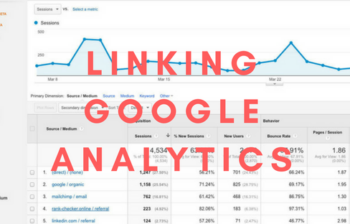
Are you a data nerd? Here we show you how to link Google Analytics to your Google Search Console property for extra data for free! Make sure you have both your analytics property and Search Console property set up and verified. Go to Admin – Property – Property Settings – Search Console Connect to your […]


Read more

This article and video discusses how to install Google File Stream – the tool that syncronises your Google Drive to your computer for use. Here is the link for Google File Stream https://support.google.com/drive/answer/7329379 Click “Download for Mac” Once downloaded Go to your “G Suite Admin Console” Click “App Settings” Click “G Suite” Click “Drive & […]


Read more

How to create a Google Analytics account, and once you have it what to do with the information it provides! Sign up here analytics.google.com/analytics/web/ 1) Hit Admin – drop down New Account 2) Enter account name (Usually your Company Name) 3) Website Name (Usually your website name) 4) Enter the URL – select https if […]


Read more

Your business needs to be on the map if you have a physical location (or locations). This has numerous benefits around Google search, Google maps and now tools like Google now where a user will ask their smartphone to find a nearby place. Adding your place to Google Business provides the route to being found […]


Read more

Help areas a boring right? Not the Google Docs help menu. Just type in what you need, click the option and it actually does it! No more reading of help docs just to find how to do it. Time saver! Steps: To do this simply start editing the document you want to add something too. […]


Read more

You can make your Google account much more secure by adding a second device to your login process. This means even if someone finds out your password they still need access to your smartphone in order to be able to access your account. We step through: Changing your password Adding 2 step authentication with SMS […]


Read more

In this video you will be learning how to rename a user in Google for Work Admin. Go to Users Choose a User Click Rename (Tool bar in the upper right) Read the notes and enter the fields e.g. First Name & Last Name Click Rename User Refresh the page and check the new User […]


Read more

In this video you will learn how to migrate an old user emails to new users and remove the account. Reseting user password Login to Gmail account to pull the information Add POP3 account Check POP3 history (until No email retrieve) Delete POP3 when done Deleting Users Transferring user data to a new owner Filtering users […]


Read more

New to Google for Work? Here is a quick intro to gmail video with your new company domain on Google for Work. Here is what they can expect: Accept the gmail terms and conditions Change their password Set up their new account in Settings Setting up General Tab categorise emails with stars chat and mail […]


Read more

This video will show you how to setup a Google calendar and share it with others within your domain. Click on Calendar In My Calendar click the – sign Choose Create New Calendar Fill in the form Click Share this Calendar with others Click Share this Calendar with everyone in the organization Select See All Events […]


Read more

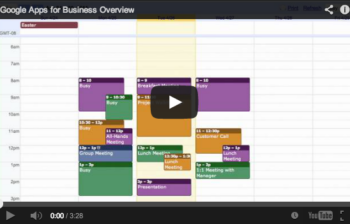
You will find out that many organisations already have. The reasons are more than just email – Google breeds best in class software and provides it for free for many, to augment the Google Apps offering. Here is a quick Google Apps business overview, intro and some information you may not know about Google Apps. In the […]


Read more