



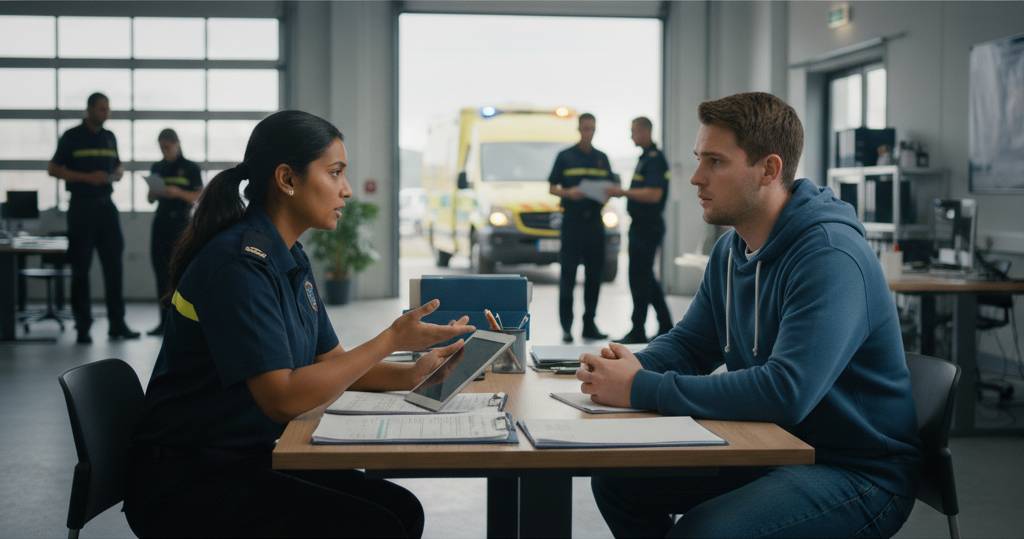
TL;DR: Talented corporate hires often struggle in startups because they’re trained to wait for instructions rather than solve problems. The fix is teaching proper escalation: not “What do I do?” but “Here’s what I’ve tried, here’s where I’m stuck.” Combined with lean documentation focused on outcomes (not tool mechanics), small teams build accountability without rigid corporate structures. This is crucial for addressing corporate hires struggling in startups.
Core Answer:
Corporate environments train people to hand off problems, which breaks down in small teams
Proper escalation means showing your work before asking for help
Document specific outcomes and processes, not basic tool functions
Review documentation every 90 days and delete unused procedures
Hire for “yes and” thinking, people who expand solutions beyond procedures
A talented new hire joined my team recently. Smart guy. Corporate background. Great resume.
Within his first week, he hit a problem and asked: “What do I do?”
That question told me everything. He was trying to hand off accountability.
He wasn’t asking because he lacked skills. Corporate environments train people to wait for instructions. His old job had clear lanes, defined roles, someone else to hand things off to.
Small teams don’t work that way. When someone comes to you with a problem, you’re accountable for fixing it.
How to Reframe Escalation Questions
I taught him to reframe it.
Wrong question: “What do I do?”
Right question: “Hey, I’m stuck. Here’s what I’ve tried. Here’s where it broke down. Here’s what I need to know.”
The first question outsources thinking. The second one shows thinking already happened.
When someone escalates properly, I don’t have to retrace their steps. I know exactly where to jump in.
Why proper escalation works:
Accountability stays with the person solving the problem
They’ve done the research before escalating
They’re asking for specific help, not a handoff
The next person doesn’t waste time retracing steps
You need the right foundation to get people thinking independently. That foundation is documentation.
What First Responders Know About Documentation
I spent years as a first responder with Fire & Rescue, Ski Patrol, and Lifeguard services. That work taught me something about documentation.
Your training is your baseline. You learn procedures. You practise scenarios. You build skills.
But the real world never matches the manual.
In an emergency, you operate safely within guidelines while deploying skills the situation demands. You don’t stop and check the handbook when someone’s drowning.
Business works the same way.
Documentation gives people the baseline. Judgement is what they do with it.
The balance: Documentation is training. Judgement is application. Both are necessary because real situations never match the manual exactly.
What to Document vs What to Skip
Most companies struggle with documentation. They either create nothing or document everything. Both approaches fail.
The documentation rule: If a tool already has documentation, don’t recreate it.
Google Workspace updates constantly. Notion changes features monthly. Copying and updating their help docs is impractical. What I do document is how we use these tools differently.
Example of outcome-based documentation:
Don’t document: How to make text bold in Notion (basic tool function)
Do document: SOP template structure in Notion (our specific process for consistency)
We document what delivers business results. Everything else, people look up in the tool’s official documentation.
Why this works: Tool vendors maintain their documentation. You maintain your unique processes. No duplication. No outdated instructions.
How to Keep Documentation Lean
Documentation bloat happens when nobody deletes outdated procedures. Here’s the system that prevents this:
90-day review cycle:
A peer reads the SOP
They test it to confirm it works
They check when it was last used
Stale documentation gets deleted
Current documentation gets updated
The team owns this process, not management. When they own it, they keep it practical.
Research shows that autonomy boosts productivity by over 5%. Autonomy without structure creates chaos.
The 90-day review is the structure that enables autonomy.
Bottom line: Regular reviews plus usage tracking keeps documentation relevant. Team ownership keeps it practical.
What “Yes And” Thinking Looks Like
When I hire, I look for people who say “yes and.”
Client problem: “My messages aren’t reaching inboxes.”
Procedure-only response: “You sent it. Not our problem.”
“Yes and” response: “Yes, you sent it. Let’s make sure your authentication is correct. Let’s help you work with the recipient to find out what happened on their end.”
Email delivery takes two parties. We solve the whole problem.
The difference: Following a procedure tells you what to check on your end. Thinking tells you when to expand the solution to include both parties.
Documentation gives you the steps. Judgement tells you when to go beyond them.
Key insight: Hire people who are broad learners. They dig until they find answers. They know how to find documentation. They know how to escalate appropriately.
Where to Start With Documentation
The biggest mistake I see in small business? They document nothing at all.
No structure for key processes. No way to onboard quickly. No backup when someone leaves or gets sick.
The “hit by a bus” test: If your key person disappears tomorrow, someone else needs to step in.
Drowning in documentation or afraid to start? Here’s the one principle:
What tasks do you do over and over every day?
Document those tasks. Then get someone else to do them instead of you.
Start there. Build from there.
The goal: Your documentation should enable thinking, not replace it.
Treat your tech like your people
This philosophy of hiring for problem-solving shouldn’t stop with your people; it should extend to your technology and AI tools as well. Just as a corporate hire needs to learn to stop waiting for instructions, your core business systems – like Google Workspace -should be managed by a partner who anticipates issues, and helps your team get more from the tools in their everyday rather than just responding to tickets. Treating your tech infrastructure as a proactive ‘team member’ is one of the strongest reasons to have a Google Workspace Partner vs going direct; it moves the burden of ‘what do I do next?’ from your shoulders to an expert partner.
Frequently Asked Questions
How do I teach corporate hires to stop waiting for instructions?
Reframe how they ask questions. Replace “What do I do?” with “Here’s what I’ve tried, here’s where I’m stuck, here’s what I need to know.” This shifts them from handing off problems to maintaining accountability while asking for specific help.
What’s the difference between documentation and micromanagement?
Documentation provides the baseline and enables autonomy. Good documentation shows the standard process, then trusts people to apply judgement. Micromanagement prescribes every action and removes independent thinking.
Should I document how to use basic tool features like Google Calendar or Notion?
No. Tool vendors maintain official documentation that updates when features change. Document how you use those tools differently for your specific business outcomes. For example, don’t document how to create a calendar event. Do document your meeting scheduling standards.
How often should documentation be reviewed?
Every 90 days. A peer should read it, test it, and confirm it works. Track when each procedure was last used. Delete stale documentation quickly. Update current documentation during each review. This prevents bloat and keeps everything relevant.
What does proper escalation look like?
Proper escalation shows your work. Before asking for help, try to solve the problem. Research solutions. Document what you’ve tried and where it broke down. Then escalate with specific questions. This saves time because the next person doesn’t retrace your steps.
How do I identify “yes and” thinkers during hiring?
Look for broad learners who dig deep to understand problems. Ask about situations where they went beyond stated procedures to solve a problem. Look for people who expand solutions rather than stopping at the minimum requirement. They should demonstrate curiosity and ownership.
What’s the “hit by a bus” test for documentation?
If a key team member disappears tomorrow (illness, family emergency, resignation), someone else needs to step in and handle their tasks. Your documentation passes the test if another person, or even your parents, could follow it and complete the task without guidance.
How do I prevent documentation bloat in a growing team?
Use a 90-day review cycle with usage tracking. Give documentation ownership to the team, not management. When team members own the process, they keep it practical. Delete anything that hasn’t been used. This maintains lean, relevant documentation as you grow.
Key Takeaways
Corporate hires struggle in small teams because they’re trained to hand off problems rather than solve them. Teach proper escalation: show your work before asking for help.
Document outcomes and unique processes, not basic tool functions. Tool vendors maintain their documentation. You maintain yours.
Review every SOP every 90 days. Track usage. Delete stale procedures. Let the team own the process to keep it practical.
Hire “yes and” thinkers who expand solutions beyond procedures. Look for broad learners who dig until they find answers.
Use the “hit by a bus” test. Your documentation should enable anyone to step in and complete tasks without guidance.
Documentation provides the baseline. Judgement is how people apply it. Both are necessary because real situations never match the manual exactly.
Start simple. Document repetitive daily tasks first. Then delegate those tasks. Build your documentation library from there.
