
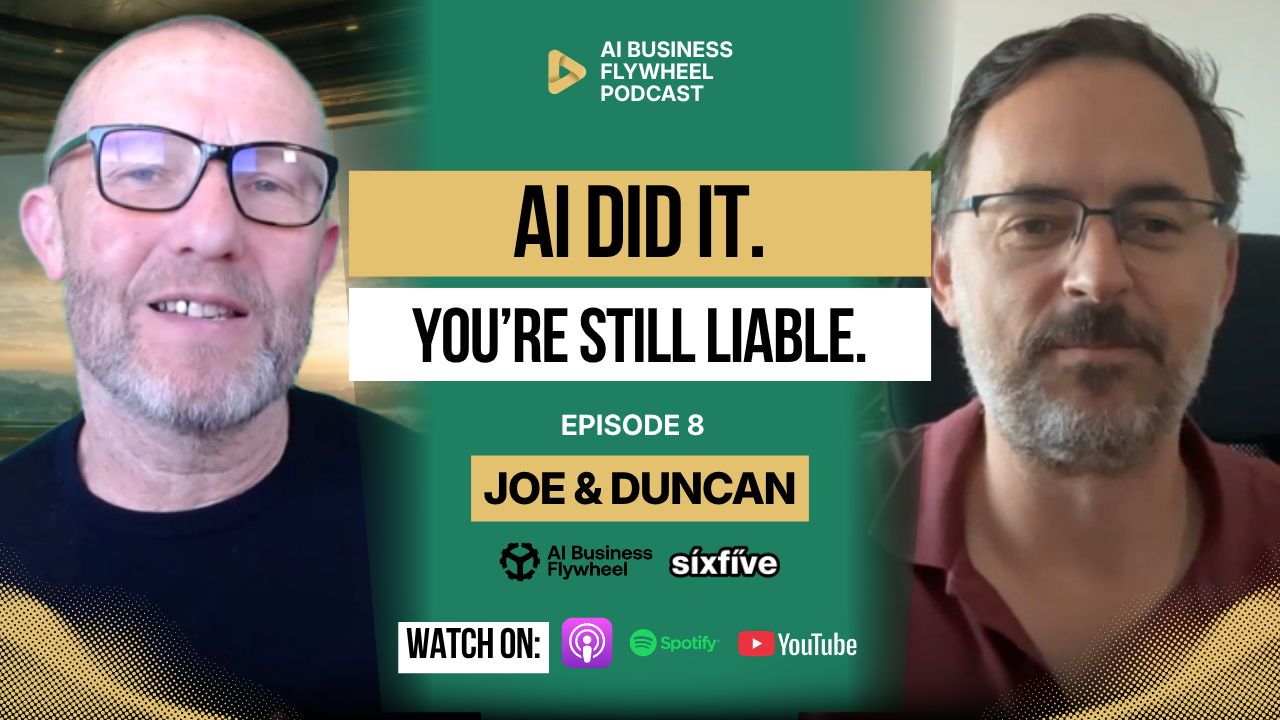
AI is starting to sound more human. It can answer in a friendly tone, push back politely, remember context, follow instructions, draft emails, summarise meetings, recommend next steps, and trigger workflows across business tools.
That makes it useful. It also makes it easier to forget what it actually is.
A lot of people now talk to AI as if there is a real person inside the machine. They give it a name. They describe it as a worker. They ask what it can decide, what it can own, and what it can do without them. For a small business owner, that framing can get risky very quickly.
AI can assist the work, but it cannot own the responsibility. The business owns the outcome. The owner owns the risk. If the wrong email goes out, the wrong client data is used, the wrong proposal is sent, or the wrong advice is given, the AI is not the one who has to deal with the fallout.
AI Sounds Human Because It Was Built to Be Used
AI tools are designed to feel easy to talk to. That is part of the product. If the system feels helpful, conversational, and responsive, people use it more. That is not automatically a bad thing, but it does affect how people behave around it.
The more human the tool sounds, the easier it becomes to trust it too quickly. A confident answer feels like judgment. A polite suggestion feels like expertise. A tidy draft feels like finished work. A helpful tone makes the system feel safer than it really is.
That is where business owners need to stay clear-headed. AI can produce useful work, but it does not understand responsibility the way a person does. It does not have a duty of care. It does not have commercial judgment. It does not carry the customer promise. It does not understand the long-term relationship you have with a client.
It predicts, structures, recommends, and acts inside the limits you give it. The responsibility still sits with the business.
Giving AI a Name Does Not Make It Accountable
There is nothing wrong with making AI easier to work with. Some people give their AI assistant a name, a personality, or a specific style so it feels more natural to use. That can make the workflow smoother, especially if the AI is helping with repeated internal tasks.
The problem starts when the name changes how much responsibility you mentally give it.
If you say, “Claude told me,” “Gemini decided,” or “my AI sent that,” it can sound like the tool has ownership. It does not. The person who connected the tool, approved the workflow, gave it access, and allowed the output to move forward still owns the result.
This matters more as AI becomes more agentic. When AI can move between tools, read files, draft replies, categorise emails, trigger tasks, or make recommendations, the line between assistance and action starts to blur.
That is exactly where your rules need to get clearer, not looser.
AI Does Not Own Judgment
AI can help with a lot of business work. It can summarise email threads, draft customer replies, prepare sales proposals, research competitors, organise notes, write first drafts, create reports, and help with internal documentation.
What it cannot own is judgment.
It does not own the customer promise. It does not own the quality standard. It does not own the legal risk. It does not own the ethics of what gets sent, published, recommended, or changed. It does not own the relationship with the client.
That distinction is not theoretical. If AI writes a customer reply with the wrong tone, the customer will not blame the model. They will blame your business. If AI drafts a proposal with the wrong price or scope, the client will hold you to what was sent. If AI produces a policy document that is not legally suitable, the business still carries the risk.
Polished output does not transfer responsibility.
AI Has Rules, Not Ethics
AI systems can have safeguards, policies, refusal behaviours, and safety rules. That is not the same thing as ethics.
A person can understand why something may be inappropriate, harmful, unfair, misleading, risky, or out of line with the business values. AI can follow rules and patterns, but it does not have a real moral compass. If the goal is poorly defined, or the boundaries are weak, it may optimise for the wrong thing.
This is why businesses need to be careful with autonomous workflows. AI can be very good at achieving a stated goal, but the stated goal may not include all the real-world judgment a human would bring to the decision.
If the instruction is “get this done quickly,” the AI may not understand that accuracy, privacy, tone, client trust, and approval matter more than speed. If the instruction is “respond to every email,” it may not know which emails should be ignored, escalated, reviewed, or handled personally.
The rules around the work need to come from the business.
Human in the Loop Is Not Optional for High-Trust Work
The phrase “human in the loop” gets used a lot in AI conversations. In plain English, it means the AI can prepare or assist the work, but a person checks it before anything important happens.
That review point matters. It is the difference between AI drafting a reply and AI sending a reply. It is the difference between AI preparing a proposal and AI committing the business to that proposal. It is the difference between AI summarising a policy and the business treating that summary as approved advice.
Some tasks can be automated fully, especially if they are low-risk, internal, and reversible. But if the output affects a client, employee, supplier, prospect, patient, customer, policy, contract, price, public claim, or financial decision, a person should review it.
This is not about slowing everything down. It is about putting human judgment at the point where damage could happen.
The More Access You Give AI, the More Responsibility You Carry
A basic AI chat is one level of risk. You paste in a question, get an answer, and decide what to do with it. That still needs judgment, but the tool is not directly touching your systems.
Connected AI is different.
Once AI can access Gmail, Google Drive, calendars, CRMs, finance tools, website admin, project systems, or local folders on your computer, the risk changes. The tool is no longer just producing text. It may be reading source material, making recommendations from private information, preparing client-facing outputs, or triggering actions in connected systems.
That can be useful, but it needs control. Give AI the least access it needs to do the job. Do not connect your entire business because the button is available. Start small, test the workflow, understand what the AI can see, and decide what it is allowed to do before you let it near anything sensitive.
If you are using AI inside Google Workspace, SixFive’s Google Workspace services can help make sure your account structure, permissions, shared drives, and access rules are set up properly before more automation gets layered on top.
Source Material Matters
AI output is only as good as the material it is using. If the source material is old, wrong, unclear, duplicated, or sitting in the wrong place, the AI may produce a confident answer based on bad information.
That becomes a business responsibility issue. Before letting AI use business documents, you need to know what source material it is reading. Is the source approved? Is it current? Who owns it? Does it include client data? Is it allowed to be used for that purpose? Where does the final output go?
This matters for everyday work. If AI drafts a proposal from an old pricing sheet, that is a business problem. If AI answers a client using an outdated service description, that is a business problem. If AI pulls sensitive information from the wrong folder, that is also a business problem.
The source material needs structure, ownership, and review. AI does not remove the need for document hygiene. It makes document hygiene more important.
Keep Your Business Knowledge Where You Control It
One of the biggest mistakes businesses make is putting all their useful AI work inside the AI tool itself. They build prompts, frameworks, summaries, customer profiles, policies, voice notes, and internal knowledge inside a chat thread, then never save the final approved versions anywhere else.
That creates lock-in and risk.
Your business knowledge should live somewhere the business controls. For many small businesses, that means Google Drive, shared drives, Google Docs, a knowledge base, or an SOP system. The AI tool can read or reference that material when appropriate, but the source should not belong only to the AI platform.
This also keeps you more flexible. One month Claude may be best for one kind of work. Gemini may be better inside Google Workspace. ChatGPT may be useful for strategy or drafting. Perplexity may be useful for research. That will keep changing.
If your knowledge is organised outside the model, you can change tools without rebuilding the business.
Avoid Vendor Lock-In
The AI market is moving quickly. New models, connectors, workflows, and agent tools appear constantly. Some are useful. Some are distractions. Some look impressive for a week and then disappear from the conversation.
If your business locks everything into one AI provider, you make it harder to move later.
A better approach is to stay tool-agnostic where possible. Keep your SOPs, voice profiles, customer profiles, templates, policies, prompts, and approved outputs in files and folders you control. Use the AI model as the engine, not the owner of the business knowledge.
That way, if one tool changes pricing, removes a feature, has an outage, weakens its output, or is replaced by something better, you are not trapped.
The principle is simple. Start with your business. Keep your knowledge with you. Then use the AI tool to help.
Data Training Settings Still Matter
Most AI tools now include settings around whether your data can be used to improve or train models. Business owners should not ignore those settings.
Whatever tool you use, check the data controls. Look for whether your prompts, uploads, outputs, files, and workspace data may be used for training or product improvement. If there is a setting to prevent business data from being used in that way, review it and set it properly.
That does not mean the checkbox solves every risk. You still need to think about what you upload, what data is included, what customer information is being processed, and whether the tool is appropriate for the work.
But checking those settings is part of responsible use. If the business is going to use AI, it should know what happens to the information it puts into AI.
For a broader check of passwords, access, devices, data, email security, and backup, the Small Business Cyber Profile is a useful place to start.
Be Careful With Personal and Customer Data
Personal information, customer data, banking details, licence information, medical information, legal documents, financial records, and commercially sensitive material need extra care.
This is not only a big-company issue. Small businesses often hold plenty of sensitive information, but they do not always have mature controls around where it lives, who can access it, and what tools are allowed to process it.
If AI is going to touch that information, the business needs clear rules. What can be uploaded? What should never be uploaded? Which tools are approved? Who reviews the output? Where is the final version stored? What happens if the AI gets it wrong?
Do not wait until something goes wrong to answer those questions. The cost of a privacy mistake, a client trust issue, or a compliance failure can be much higher than the time saved by rushing the workflow.
Do Not Let AI Write Policies Without Proper Review
AI can help draft internal documents, but that does not mean it should be trusted to create final legal, privacy, compliance, HR, or policy documents on its own.
This is a common mistake. A business owner asks AI to write a privacy policy, terms and conditions, employment policy, internal procedure, or client-facing compliance statement. The output looks polished, so they use it.
That is risky. These documents carry legal and operational consequences. If the content is wrong, incomplete, not suitable for your jurisdiction, or inconsistent with how your business actually operates, the business is still responsible.
AI can help prepare a first draft, organise questions for a lawyer, summarise what needs to be covered, or turn expert input into a clearer document. But a qualified professional still needs to review anything that carries legal or compliance weight.
That is not optional. That is basic responsibility.
Use AI for Drafts, Not Unchecked Decisions
AI is very useful for drafts. It can produce the first version of a customer reply, sales proposal, service description, internal process, hiring document, FAQ, blog, meeting summary, or report.
But a draft is not a decision.
Before something goes out, the business needs to check accuracy, tone, claims, pricing, promises, data use, privacy, and risk. This is especially true for customer replies, proposals, service descriptions, hiring documents, internal policies, legal language, technical support answers, financial summaries, and market claims.
These are areas where a wrong answer can create real damage. It may confuse a customer, create a false expectation, expose private information, misstate a policy, or make a promise the business cannot keep.
AI can make the draft faster. The business still needs to make it safe.
Responsibility Needs a Workflow
Responsibility should not sit vaguely in the owner’s head. It should be built into the workflow.
For every AI-assisted process, the business should know who owns the final output, what source material the AI is allowed to use, what the AI can do, what it cannot do, who reviews the work, where the approved version lives, and what happens if the output is wrong.
That sounds formal, but it does not need to be complicated. A short SOP can be enough. It might say that AI can draft customer replies, but a human must approve before sending. It might say AI can summarise meeting notes, but the account manager must check action items. It might say AI can draft proposals, but pricing and scope must be reviewed by the owner.
The point is not bureaucracy. The point is clarity.
If your business needs a simple way to document repeatable workflows, the Notion SOP template can help you write down how the process should work before AI starts assisting it.
Treat AI Like a Junior Team Member
A useful way to think about AI is to treat it like a junior team member who is fast, tireless, and sometimes wrong.
You would not give a new employee full access to every system on day one. You would not let them send proposals without review. You would not ask them to write policy documents without checking them. You would not let them make financial decisions just because they sounded confident.
You would train them. You would give them examples. You would define the role. You would review the work. You would limit access until they had earned more trust.
That is how AI should be handled as well. It can do a lot, but the business needs to design the boundaries.
The mistake is treating AI like a senior operator just because it speaks well.
Agentic AI Raises the Stakes
Agentic AI means AI systems can take more initiative. They can plan, decide steps, use tools, access systems, and complete multi-stage tasks with less direct human input.
That is powerful. It also raises the stakes.
If an AI agent can update a CRM, send an email, move a file, create a task, make a recommendation, or trigger another workflow, then the business needs clear rules around permission, review, logging, and accountability.
Recent research and regulation discussions show that this is not just a theoretical issue. Finance firms are already experimenting with agentic AI, regulators are watching closely, and major AI companies are building more safeguards around autonomous systems.
For small businesses, the lesson is practical. You do not need to wait for global AI law to be settled before setting your own rules. Decide what AI can do, what it cannot do, and where a human must approve.
What Should Stay Human?
Not every part of the business should be handed to AI. Some work should stay human because it carries judgment, trust, or responsibility.
Client promises should stay human. Final pricing decisions should stay human. Sensitive complaints should stay human. Hiring decisions should stay human. Legal and compliance approval should stay human. Ethical decisions should stay human. Anything that could materially affect a customer, employee, supplier, or the business should have a human review point.
That does not mean AI cannot help prepare the work. It can gather information, summarise context, draft options, or organise the decision. But the final call should sit with a responsible person.
This is where small businesses need discipline. Just because AI can do more does not mean it should.
A Practical AI Responsibility Checklist
Pick one way your business is already using AI and review it properly. Do not start with the most complicated workflow. Start with something real, like email replies, meeting summaries, proposal drafts, content creation, customer follow-up, or internal documentation.
Ask who owns the final output. Ask what source material the AI is using. Ask whether that source material is approved and current. Ask what AI is allowed to do and what it is not allowed to do. Ask who reviews the output before it becomes final.
Then ask where the final approved version lives. Ask what happens if the output is wrong. Ask what should remain human. Ask whether this workflow makes the business more responsible or less responsible.
Those questions will usually show you where the weak spots are.
The Bottom Line
AI can assist the work, but it cannot own the responsibility.
It can draft, summarise, recommend, research, categorise, and trigger workflows. It can make the business faster and reduce a lot of manual effort. But it does not own the customer relationship, the quality standard, the ethical call, the legal risk, or the final outcome.
That still belongs to the business.
As AI becomes more capable, small businesses need clearer rules, not looser ones. They need approved source material, sensible access, human review points, documented workflows, controlled data use, and a clear understanding of what must stay human.
AI should be a force multiplier. It should not become an unreviewed decision-maker hiding inside your business.
What to Do Next
Choose one AI workflow your business already uses. Review the source material, the access, the output, the human approval point, and the risk if the output is wrong.
If your business does not have clear AI rules yet, start with the AI Readiness Audit. It will help you check whether your systems, documentation, information, and rules are strong enough for AI to support the business safely.
You can also review SixFive’s Digital Roadmap if you need help mapping your tools, workflows, permissions, and business systems before adding more AI automation.
For practical help with Google Workspace, access control, shared drives, permissions, and safer AI use inside your business, book an appointment with SixFive. The goal is simple: use AI to support the business without handing over responsibility for the parts that still need you.
Stop Guessing, Start Growing
Don’t leave your digital success to chance. Get a clear, actionable plan that aligns your technology with your business goals.
Book a no-obligation, 15-minute discovery call