Productivity Tips & Google Workspace

When your digital office is built on patchwork tech, it creates a maintenance headache that distracts you from your purpose. We treat Google Workspace as a profit lever—the integrated operating system behind your business operations. These Google Workspace Productivity Tips go beyond basic tutorials to help you standardize your environment and eliminate operational friction. By moving toward a unified system, you create an unshakeable foundation where the technology becomes invisible, allowing your team to focus entirely on growth.

Heard about Google Apps, and wondering what the fuss is all about? How could cloud based Google Apps benefit your business? We are all looking at the cloud to move services away from offices, reduce workload and increase availability. This article breaks down 6 reasons why Google Apps is better than Exchange. Capital Expenditure reduction […]


Read more
How to use gmail on an iphone

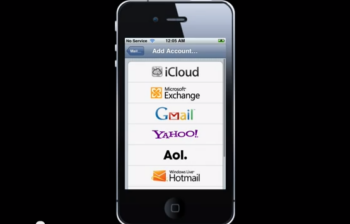
In this video I show you the correct way to set up your iPhone for use with gmail and google apps. 1) Set up synch with the Exchange connector for Calendar and Contacts 2) Set up the gmail connector for email, so you can use drafts. The standard Gmail connector does not synchronise Contacts, so […]


Read more
Dropbox shared folder how to

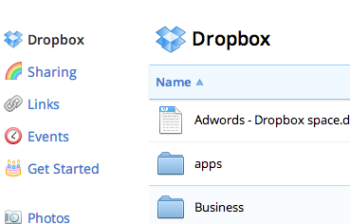
How to create a DropBox shared folder with another user on DropBox. This quick video will show you how easy it is to share folders with other users and create a shared folder that you can both make updates to, and share documents. Hello folks. Today, I’m going to show you how to share a […]


Read more
How to get UDID iphone

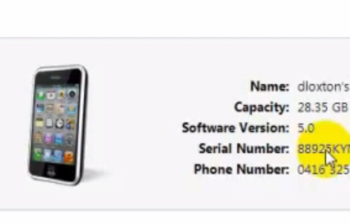
When you are building your first iphone app, as everyone is these days, you may need to find your device identifier (UDID) in order to load it into the code so your phone / device is authorised to run it without it going through the app store. Check out the tutorial on how to get […]


Read more
photo

I have a job where ad-hoc client support via email is a regular occurrence. Taking screen shots of sites and particular screens to help explain the sometimes random and crazy words that come out of my brain is always helpful for the hapless recipient of my ramblings. So I went on a hunt for a […]


Read more
photo

With so many extensions out there and so little time to choose them I thought I would share the ones I have installed and use all the time. FireBug Simply a must have for any web developer, allows you to inspect the webpage, its elements, css, script, downloads size and speed, edit css, script and […]


Read more
photo

Sometime last year Microsoft posted this patch to windows 2003 allowing Office 2003, Word, Excel, and Powerpoint to access and save files in the Office 2007 format. Office 2007 compatibility pack for Microsoft Office 2003 Dead handy for those who are still on Office 2003 but know people or co workers using Office 2007.


Read more
photo

East Anglian Ambulance Service have launched a national “In case of Emergency (ICE)” campaign with the support of Falklands war hero Simon Weston and in association with Vodafone’s annual life savers award. The idea is that you store the word ” I C E ” in your mobile phone address book, and against it enter […]


Read more
photo

If you havent heard already Firefox is taking the world by storm as the new Internet Browser to rival Internet Explorer. Developed by Mozilla – who claim that “Firefox empowers you to browse faster, more safely and more efficiently than with any other browser.” I have now been using firefox for at least 6 months […]


Read more