Productivity Tips & Google Workspace

When your digital office is built on patchwork tech, it creates a maintenance headache that distracts you from your purpose. We treat Google Workspace as a profit lever—the integrated operating system behind your business operations. These Google Workspace Productivity Tips go beyond basic tutorials to help you standardize your environment and eliminate operational friction. By moving toward a unified system, you create an unshakeable foundation where the technology becomes invisible, allowing your team to focus entirely on growth.

If you ever get scared that Google really is taking over the world, then you have 2 choices: either shrink into the corner and never turn your phone, fridge or laptop on again apply the tinfoil hat, listen to Abba and get on with your life For those of you who want to have some […]


Read more

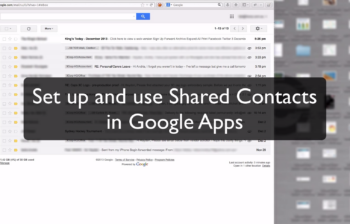
Watch: How to use Shared Contacts in Google Apps So we’re going to show you how to set up contact sharing through Google Apps so that you’ve got the equivalent to Outlook or Exchange’s global address list. If you go into contacts and down the left hand side here you’ve got a thing called directory […]


Read more

I’m going to show you how to create a quick and simple survey actually using Google Drive. Now you could use something like Survey Monkey to build an online quiz or survey – it’s an excellent tool and has it’s place. But if you do have Google Apps, or you have access to Google Drive, […]


Read more

Macquarie University is a really interesting campus. It’s about the number one campus in Australia for environmental science, and we have a great business school, the Australian School of Advanced Medicine, what we really care about is a digital experience of being on our campus. And of course Google’s a pretty big part of that. […]


Read more

Last week marked the sixth annual Google I/O in San Francisco, and with it, many key product announcements. We have created the following summary of the five product launches that may have implications for your Google Apps business. 1) Google+ Hangouts will be replacing Google Talk, Chat in Gmail, and Google+ Messenger to create a better experience to send messages, […]


Read more

Gmail has a new compose window for writing and responding to messages. Instead of taking over your whole screen to write a message, a small window opens up at the bottom of your screen. This makes it easier to refer to items in your inbox, and even lets you scroll through your other messages. All […]


Read more

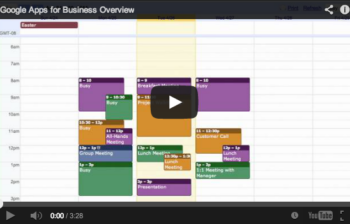
Google Calendar is the part of Google Apps for Business that helps you keep your business on schedule. It saves your employees time and energy by providing them the scheduling solution that is fast and intuitive. Scheduling a meeting with more than a few people can often be time consuming. With Google Calendar, you can […]


Read more
4 reasons to use a Google Apps Reseller

More and more organisations are choosing to work with resellers to smoothly ease their exiting email systems into Google Apps. Why aren’t they sticking with their own IT admin people for advice and support? Well, it turns out that resellers not only know much more about the entire migration process, but they can tremendously improve […]


Read more

Sometimes, the fastest way to find an email in Gmail, is to search. Just like you use Google search to find things on the internet, you can search in Gmail to find messages in your mail box. For example, if I’m looking for a message about a recent project, I could enter the name of […]


Read more

You will find out that many organisations already have. The reasons are more than just email – Google breeds best in class software and provides it for free for many, to augment the Google Apps offering. Here is a quick Google Apps business overview, intro and some information you may not know about Google Apps. In the […]


Read more

Heard about Google Apps, and wondering what the fuss is all about? How could cloud based Google Apps benefit your business? We are all looking at the cloud to move services away from offices, reduce workload and increase availability. This article breaks down 6 reasons why Google Apps is better than Exchange. Capital Expenditure reduction […]


Read more
How to use gmail on an iphone

In this video I show you the correct way to set up your iPhone for use with gmail and google apps. 1) Set up synch with the Exchange connector for Calendar and Contacts 2) Set up the gmail connector for email, so you can use drafts. The standard Gmail connector does not synchronise Contacts, so […]


Read more
Dropbox shared folder how to

How to create a DropBox shared folder with another user on DropBox. This quick video will show you how easy it is to share folders with other users and create a shared folder that you can both make updates to, and share documents. Hello folks. Today, I’m going to show you how to share a […]


Read more
How to get UDID iphone

When you are building your first iphone app, as everyone is these days, you may need to find your device identifier (UDID) in order to load it into the code so your phone / device is authorised to run it without it going through the app store. Check out the tutorial on how to get […]


Read more