
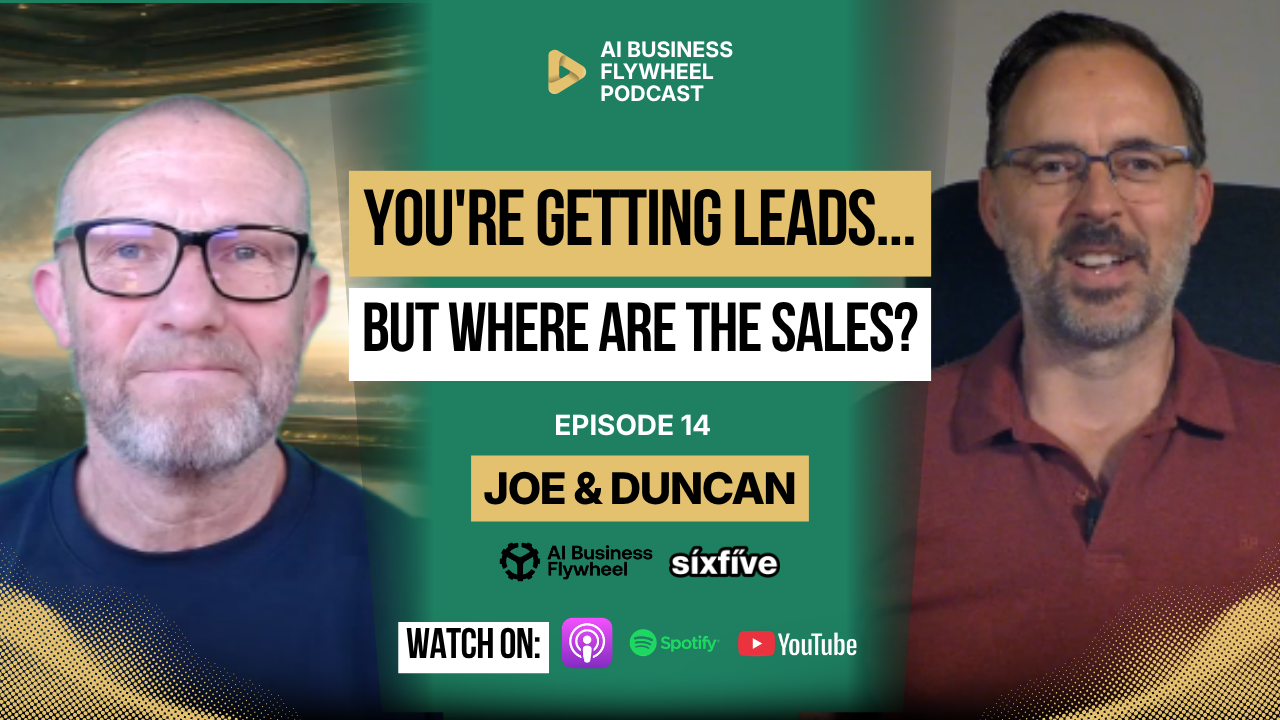
Your small business might not need more leads.
It might need to stop losing the ones it already has.
Think about how much effort goes into getting someone interested in your business. You pay for advertising, work on your website, create content, answer questions, and try to get people to make an inquiry.
Then someone finally fills out a form, sends a message, requests a quote, or books a call.
What happens next?
Does someone respond quickly? Does that inquiry make it into your CRM? Does anyone follow up after the first conversation? Does the quote get chased? And if the customer goes quiet, does anyone notice?
For many small businesses, this is where the real problem starts.
The leads are coming in. The opportunities are there. But the process behind them is not working properly.
And before you spend more money trying to bring in new customers, it is worth asking whether you are already wasting the opportunities sitting in your inbox.
More Leads Will Not Fix a Broken Sales Process
When sales slow down, the natural response is often to get more leads.
Spend more on advertising. Create more content. Run another campaign. Try another platform. Find a new tool.
But what if the problem is not the number of leads?
What if the real problem is that nobody follows them up?
A potential customer sends an inquiry on Monday. Someone replies on Wednesday. The customer asks for a quote. The quote goes out the following week. Nobody checks whether they received it.
By the time someone remembers to follow up, the customer may have already gone somewhere else.
That is not a lead generation problem.
That is a workflow problem.
AI can help with it, but only if you understand the process first.
AI Is Already Changing Sales
According to Salesforce’s 2026 State of Sales report, 87% of surveyed sales organizations use AI for tasks such as prospecting, forecasting, lead scoring, and drafting emails.
The report also identifies AI and AI agents as the leading growth tactic among the sales teams surveyed.
That is interesting, but it does not mean every small business should rush out and buy an AI sales agent.
Using AI and getting useful business results from it are two different things.
The businesses getting value are not simply adding AI to everything.
They are finding the repetitive parts of their sales process, understanding how those tasks work, and using AI to support them.
That is a much better starting point.
Start With Your Sales Process, Not the AI Tool
Before you automate anything, you need to understand what happens when a lead enters your business.
Where does the inquiry come from?
Where is it recorded?
Who is responsible for responding?
What happens after the first reply?
How do you decide whether the customer is a good fit?
What happens after a discovery call?
Who prepares the quote?
Who follows up if the customer does not respond?
And how do you know when an opportunity has been lost?
If you cannot answer those questions clearly, adding AI will not automatically solve the problem.
It may simply make the existing mess happen faster.
A messy CRM with AI connected to it is still a messy CRM.
A broken follow-up process with automated emails is still a broken follow-up process.
The system underneath needs to work first.
Your CRM Should Show You Where Every Opportunity Stands
You do not need a complicated sales system to get started.
You need a reliable way to track each opportunity from the first inquiry to the final outcome.
At SixFive, we use a sales pipeline organised into stages.
Think of it like a Kanban board. Each opportunity is represented by a card, and that card moves through the process as the relationship develops.
A simple pipeline might look like this:
<text preserveWhitespace={true}>New Inquiry → Discovery Call → Qualification → Proposal → Follow-Up → Won or Lost</text>
The important part is not the software or the names of the columns.
It is knowing what needs to happen at each stage.
When a customer books a discovery call, the opportunity should move to the correct stage.
When the call finishes, the next action should be clear.
When a proposal goes out, the business should know when to follow up.
And when something gets stuck, somebody needs to own the next step.
That is what makes a CRM useful.
Not simply having one.
Automation and AI Are Not the Same Thing
This is an important distinction.
A lot of the work that makes a sales process run smoothly does not need AI at all.
For example, when someone books a meeting, your system can automatically send a confirmation email.
It can send a reminder the day before, another reminder closer to the appointment, and update the opportunity in your CRM.
That is standard workflow automation.
It follows rules you have already defined.
AI becomes useful when the task needs more context.
Instead of sending the same generic follow-up email to everyone, AI can help draft a message based on the customer’s previous conversation.
Instead of manually researching a potential client’s website, AI can help summarise relevant information.
Instead of trying to remember everything discussed during a call, AI can help turn a transcript into useful notes and next steps.
The combination is where things become interesting.
Automation handles the repeatable steps.
AI helps with the information and context inside those steps.
And people remain responsible for the decisions that matter.
Responding Quickly Is Only the First Step
A fast response is useful.
But speed alone does not guarantee a good customer experience.
Imagine someone fills out your contact form asking about a service.
Your system immediately acknowledges the inquiry and offers a link to book a call.
Good.
But what happens if they do not book?
Does your system send a reminder?
Does anyone check whether the inquiry was relevant?
Does the lead stay in your CRM?
Is there a clear point where a team member steps in?
This is where many opportunities quietly disappear.
The first response happens, but the rest of the process does not.
AI can help personalise the follow-up, but the business still needs to decide when that follow-up should happen and who is responsible.
Use AI to Qualify Leads Before Spending Hours on Them
Not every inquiry is a good fit for your business.
Some people are ready to buy.
Some are comparing providers.
Some are researching options for later.
And some may need a service you do not offer.
You need a way to understand the difference.
AI can help organise lead information around questions such as:
- What service is the customer asking for?
- What is their timeline?
- Do they have a budget range?
- Are they within your service area?
- What information is missing?
- Are they ready to move forward, or are they still exploring?
From there, AI can help suggest which opportunities may need attention first.
For example, a business might use a simple traffic-light system.
Green means the lead appears to be a strong fit and is ready for the next step.
Amber means there is potential, but more information is needed.
Red means the inquiry appears outside the business’s current scope.
Those labels should help the team prioritise, not replace human judgment.
The point is to spend more time on the opportunities where your business can genuinely help.
Let AI Handle the Research Before the Call
One of the more practical uses of AI is preparing for customer conversations.
At SixFive, we use AI-supported workflows to help gather information about potential clients before an initial discovery call.
That might include reviewing the company’s website, understanding its products and services, looking at its online presence, and identifying possible technical issues.
For a website-related inquiry, the process may also gather information about site speed, hosting, and the technology being used.
Previously, someone on the team would have needed to research much of that manually.
Now, AI can help organise the findings into a useful summary.
That means the person taking the call has more context before the conversation even begins.
Instead of spending the first part of the meeting trying to understand the basics, they can ask better questions.
Of course, the findings still need to be checked. An AI-generated summary is preparation, not a confirmed technical diagnosis.
But it can remove a lot of the repetitive work.
Recorded Calls Can Improve Your Follow-Up
Another useful application is meeting summaries.
When you are speaking to a potential customer, you want to concentrate on what they are saying.
But you also need to remember the details.
What problem are they trying to solve?
What have they already tried?
What is their timeline?
What concerns did they raise?
What information do you still need?
Trying to listen, think, ask questions, and take notes at the same time is difficult.
With appropriate consent and secure handling of recordings, AI can help summarise the conversation afterward.
That gives you a record you can review before the next meeting.
It can also help identify questions that were not answered, commitments that were made, and actions that need to happen.
Those notes can then be added to your CRM so the next person working on the opportunity has the right context.
The result is not just faster administration.
It is a more consistent sales process.
AI Can Help Draft Better Proposals, but It Can Also Cost You a Sale
This is where human review becomes especially important.
At SixFive, we had a project involving eight websites.
The client was considering consolidating those websites into a smaller number. They were hosted in different places, built in different ways, and had different technical requirements.
Assessing everything manually would have taken a significant amount of time.
So we used AI to help with the research and proposal preparation.
The information was useful. The proposal covered the technical issues and the work that needed to happen.
But we did not win the job.
The feedback from the client was valuable.
The proposal did not sound like us.
It felt too AI-generated, and the customer felt that we had not fully understood their situation.
That created a trust gap.
Looking back, the proposal needed more human input, even though the technical information was largely useful.
That is an important lesson.
AI can help you prepare a proposal faster.
But it cannot replace the relationship, understanding, and judgment that make the customer comfortable choosing your business.
And the more significant the customer’s investment, the more important that personal understanding becomes.
The Human Handoff Matters
Not every part of a sales process should be automated.
For straightforward, low-risk transactions, a business may be comfortable automating much of the journey.
But for more complex services, larger purchases, or decisions that require trust, customers often need a real person.
That is why the human handoff matters.
AI might gather the information.
It might prepare a summary.
It might suggest the next step.
It might draft the email.
But someone still needs to decide whether that message is right, whether the customer is a good fit, and when a conversation needs personal attention.
This also applies to prospecting.
AI can help research potential customers and prepare personalised outreach drafts. But sending hundreds of unchecked automated messages is a different matter.
It can damage your reputation, create mistakes, and potentially breach platform rules.
Use AI to make the research and preparation easier.
Keep people involved before messages go out.
Do Not Generate More Leads Than You Can Handle
There is another problem that businesses sometimes overlook.
What happens if your lead generation suddenly works extremely well?
Imagine AI helps your marketing team bring in twice as many inquiries.
That sounds brilliant.
But can your business handle them?
Do you have enough staff to answer the calls?
Can you prepare the quotes?
Can you deliver the work?
Can you keep the promises made during the sales process?
If the answer is no, more leads may make the business worse rather than better.
Customers wait longer.
Quotes get delayed.
Follow-ups disappear.
And the people who were interested in your business leave disappointed.
Before you automate lead generation, understand your capacity.
A good sales system should help you bring in the right amount of work and deliver it properly.
Not just create a bigger list of people waiting for a response.
Follow-Up Should Not Stop After the Proposal
Sending a quote is not the end of the sales process.
It is another stage.
Some customers need time to decide.
Some are waiting for approval.
Some are comparing options.
Some get distracted by other work.
And some simply forget to reply.
That does not automatically mean the opportunity is lost.
Your CRM should help you see which proposals are waiting for a response.
Automation can remind the responsible team member when it is time to check in.
AI can help draft a follow-up that reflects the actual conversation instead of sending another generic message.
A useful follow-up might ask whether the customer has questions, needs clarification, or would benefit from another conversation.
The goal is not to pressure them.
It is to make sure the next step does not disappear because everyone got busy.
Some of Your Best Opportunities May Already Be in Your CRM
Before you spend money on another campaign, look at your existing opportunities.
Check the leads that never booked a call.
Look at the discovery calls that did not move forward.
Review the proposals that were sent but never followed up.
Check the contacts who went quiet.
And look at the opportunities marked as lost.
Some will genuinely be closed.
Others may simply have been forgotten.
AI can help you review the records, identify missing information, group opportunities by status, and prepare appropriate re-engagement messages.
But do not assume every old lead wants to hear from you.
Check the history, respect communication preferences, and make sure the follow-up is relevant.
The opportunity may not be hiding in a new advertising campaign.
It may already be sitting in your CRM.
Follow-Up Also Matters After Someone Becomes a Customer
The same process applies to existing customers.
At SixFive, we have follow-up processes for clients who have not needed to contact us for a while.
That is not always a bad thing.
Sometimes it means everything is working properly.
They are using their systems confidently and do not need support.
But it is still worth checking in.
Depending on the customer relationship, that might mean reaching out after three or six months to make sure everything is going well.
AI and automation can help identify when that contact is due.
A human can then have the conversation.
That is a good example of technology supporting a relationship rather than replacing it.
How to Find the Leaks in Your Sales Process
You do not need to rebuild your entire sales system this week.
Start by looking at what you already have.
Step 1: Map Every Lead Source
Write down where your inquiries come from.
Your website, contact forms, email, phone calls, social media messages, referrals, advertising, and booking pages.
Make sure each source has a clear destination.
Step 2: Check Your CRM
Look at whether leads are being recorded properly.
Are contact details missing?
Are there duplicate records?
Are opportunities sitting in the wrong stage?
Are important conversations happening outside the CRM?
Step 3: Identify the Follow-Up Gaps
Check how long it takes to respond to a new inquiry.
Then look at what happens after the first reply, the discovery call, and the proposal.
Find the places where nobody clearly owns the next action.
Step 4: Automate the Predictable Work
Start with straightforward tasks.
Lead capture, assigning owners, appointment confirmations, reminders, stage updates, and follow-up tasks.
These do not necessarily need AI.
They need reliable workflows.
Step 5: Add AI Where Context Helps
Once the process is working, look for the tasks where AI can genuinely save time.
Lead research, qualification support, meeting summaries, missing-information checks, personalised follow-up drafts, and proposal preparation.
Start with human approval before allowing AI to take more responsibility.
Step 6: Measure What Changes
Check whether the system is improving your business.
Are leads getting a faster response?
Are fewer opportunities being forgotten?
Are more discovery calls being booked?
Are proposals being followed up?
Are CRM records more complete?
Are more qualified opportunities moving forward?
Those results matter more than how many AI tools you have installed.
Do Not Automate a Process You Have Not Understood
One of the biggest mistakes small businesses make with AI is trying to automate everything at once.
They buy an AI agent.
Connect it to their CRM.
Connect it to email.
Build a few workflows.
Then expect the sales process to run itself.
But if the CRM contains incomplete information, the follow-up rules are unclear, and nobody knows who owns each opportunity, the automation has very little to work with.
And automations can fail.
Triggers can break.
Messages can go to the wrong person.
Records can be updated incorrectly.
AI can misunderstand context.
That is why you need checks, clear responsibilities, and a way for a person to step in when something goes wrong.
The goal is not a sales process without people.
The goal is a sales process where people are no longer spending hours doing repetitive work that a system could handle.
The Bottom Line
If your small business is struggling to grow, do not automatically assume you need more leads.
You might already have enough opportunities coming in.
The problem may be what happens after they arrive.
A form that goes nowhere.
A missed call nobody returns.
A CRM that is only half used.
A quote that never gets followed up.
A potential customer who was interested but never heard from you again.
AI can help with all of these areas, but only when it is combined with a clear process.
Use automation to handle the repeatable steps.
Use AI to organise information, support research, draft responses, and identify opportunities that need attention.
Keep humans responsible for the relationships, decisions, and customer experience.
Because the goal is not to create more sales activity.
It is to stop losing the opportunities your business has already worked hard to earn.
What to Do Next
This week, open your CRM and look at the opportunities that have not moved forward.
Find the unanswered inquiries, the forgotten proposals, and the customers who have not heard from you.
Ask where the process stopped.
Then work out whether the problem needs a clearer workflow, better information, a simple automation, or AI support.
If you are not sure where to start, the AI Readiness Audit can help you assess whether your business has the systems, documentation, information, and processes needed to use AI properly.
If your technology and workflows need a more structured plan, explore SixFive’s Digital Roadmap.
You can also find more practical guides and resources for small businesses at SixFive Resources.
Before you spend more money getting new leads, make sure you are not losing the ones you already have.
Is Your Business AI-Ready?
Take our free 5-minute AI Readiness Audit. Score your business across 10 key areas and get a personalised action plan — before your competitors get there first.
Take the Free Audit