
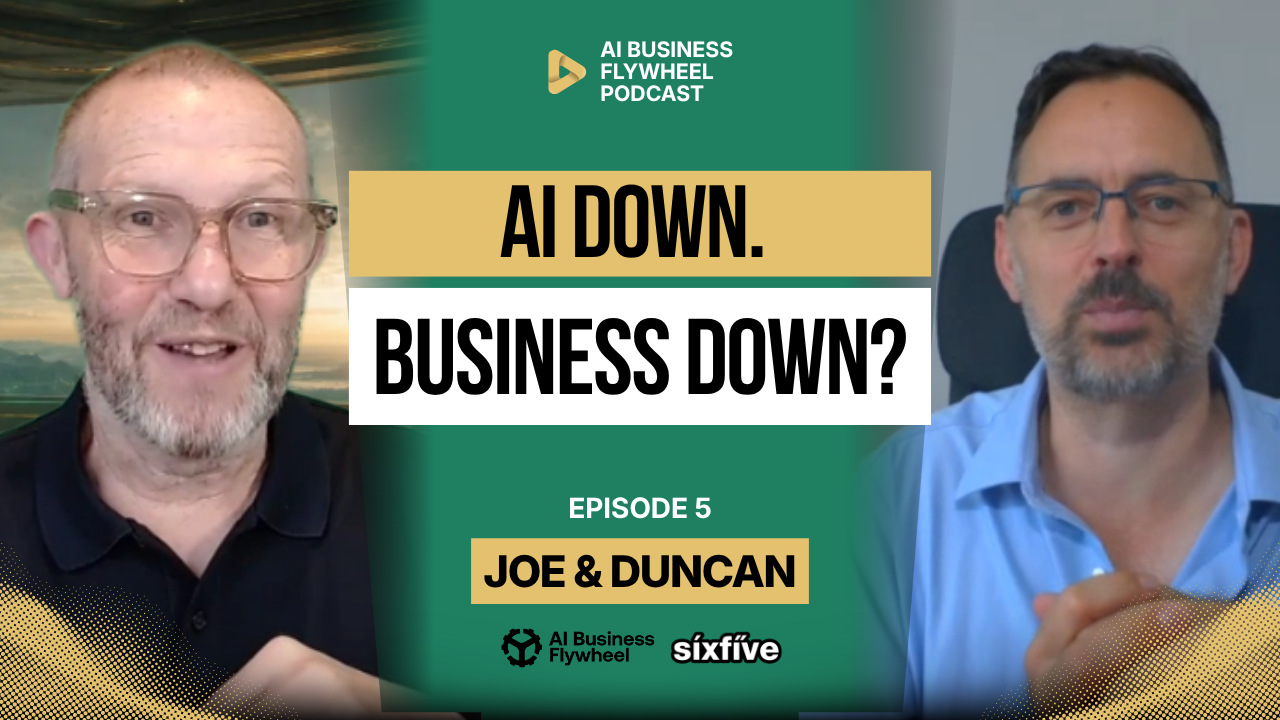
AI is becoming part of how small businesses write, plan, research, report, summarise, and make decisions. That can be a good thing when it gives the team more capacity and helps the business move faster without adding more people or more hours.
The problem starts when AI stops being support and quietly becomes the only way the work gets done. One task becomes five tasks, then ten, then entire workflows start depending on Gemini, ChatGPT, Claude, Copilot, or whatever tool the team has built around. Everything feels more efficient until the tool goes down, changes behaviour, loses context, or gives an answer that sounds right but is quietly wrong.
That is the real issue. An outage is loud because everyone notices when the tool stops working. A hallucination, silent model change, or hidden dependency is quieter, and that can be more dangerous because the business may not catch it until the wrong decision has already been made.
AI Should Give You Leverage, Not Dependency
There is a big difference between using AI for leverage and becoming dependent on AI. Leverage means the team can do useful work faster, cleaner, or with less admin. Dependency means the team no longer knows how to do the work when the tool is unavailable.
That distinction matters for small businesses. If your team cannot write a clear email, summarise a client conversation, plan a piece of content, prepare a report, or think through a basic process without AI, then you have not just created a productivity system. You have created a business continuity risk.
Nobody usually plans to become dependent. It creeps in slowly. First, AI helps with a rough draft. Then it helps with every reply. Then it writes the reports, prepares the posts, summarises the meetings, structures the proposals, and creates the client updates. Eventually, the team forgets what the process looked like before the tool arrived.
AI should improve the process. It should not become the process.
The Risk Is Not Just AI Going Down
When people talk about AI risk, they often focus on outages. That makes sense because outages are visible. The tool fails, prompts do not work, the team complains, and everyone knows something is wrong.
But there is another risk that is easier to miss. The AI tool stays online, but the output changes. Maybe the model was updated. Maybe the response style shifted. Maybe the same prompt gives a slightly different answer. Maybe a hallucinated detail slips into a report, email, or recommendation and nobody checks it properly.
That is why human review still matters. AI can help with execution, but the business still needs someone who understands the work, owns the judgment, and knows what good looks like.
This is especially important while systems are still being stabilised. Until the business has clear processes, source material, review points, and fallback plans, AI should stay firmly in the support role.
Start With the Process, Not the Model
A business should not build around a model name. It should build around a process.
Today, one tool may be best for research. Another may be better for writing. Another may handle coding, summarising, or structured workflows better. That will keep changing. The model market is still moving quickly, and the economics, capacity, and reliability underneath it are still being tested.
That means your process needs to be portable. Gemini might be having a bad day, but could the team move the work to Claude? If ChatGPT is unavailable, could the team use another tool? If the AI tool cannot access a conversation history, do you still have the source material and final outputs stored somewhere the business controls?
This is why your business knowledge should not live only inside an AI chat thread. The process, source documents, templates, outputs, and approvals should live in your own systems. If your broader systems already feel messy, SixFive’s Digital Roadmap can help map what you have, what you need, and what needs fixing first.
Keep Your SOPs Human-Readable
A lot of AI workflows depend on instructions, prompts, templates, and structured files. That is useful, but it needs to stay understandable to real people.
Markdown files, JSON files, prompt libraries, and structured templates can all have a place, but they should not become a black box that only the AI understands. If the business needs to keep moving without AI, a human should still be able to open the instructions and understand what to do.
For most small businesses, this can be simple. Use Google Drive or shared drives to store SOPs, templates, examples, client context, reporting formats, and process notes. Organise them by the way the business actually works, not by random tool names.
You might have folders for marketing, finance, delivery, project management, client reporting, sales, onboarding, and operations. Inside each area, keep the steps, examples, rules, and templates that a human or an AI assistant would need to complete the work.
The goal is simple: AI can help run the process faster, but the process should still be visible without AI.
Organise Knowledge Around How the Business Thinks
A good folder structure is not just digital housekeeping. It teaches the business how to think.
If the business creates a blog, turns it into an email, and then spins it into social posts, that is a process. The folder structure should reflect that. There should be a place for the source idea, the draft, the approved blog, the email version, the social posts, and any final assets.
If the business creates client reports, that is also a process. There should be a place for source data, client background, reporting instructions, report format, draft report, approved version, and delivery history.
This matters because AI works better when the context is organised. It can use source material, follow instructions, and produce outputs more reliably when the business has already defined the path.
A messy folder structure forces both humans and AI to guess. That is where mistakes start.
Use AI to Fill the Gap Between Source and Outcome
A useful AI workflow usually has two fixed points. First, the source material. Second, the desired outcome.
For example, a client report might start with data from several systems, notes about the client, and a report template. The final outcome might be a clear monthly report showing what happened, what changed, what needs attention, and what the client should do next.
AI can help fill the gap between those two points. It can collect, summarise, compare, draft, and explain. But the source material and the definition of a good output should be created and owned by the business.
That gives the process more stability. The AI is not being asked to invent the whole thing every time. It is being asked to work inside a defined structure.
This is how AI becomes useful without becoming chaos.
Not Everything Needs AI
There is a trap in thinking every part of an AI workflow should be handled by AI. It should not.
Some parts of a workflow are deterministic. That means they should happen the same way every time. Pulling data from a system, copying a value into a template, naming a file, moving a document into the right folder, or checking whether a date falls inside a reporting period should not require AI guesswork.
Those steps should be handled by normal automation, code, templates, or clear rules. AI should be used where judgment, interpretation, synthesis, or language work is genuinely useful.
That matters because AI can be inconsistent. If you ask it to decide the structure of a report every time, the output may change every time. If you give it a fixed report format, fixed sections, and clear source material, the final result becomes much more reliable.
Use AI where it adds judgment-like support. Use rules and automation where the task should be predictable.
Human Review Is the Control Point
AI may handle a large part of execution, but the human still owns the judgment. That human part might be small in terms of time, but it is huge in terms of responsibility.
The person reviews whether the output is correct, appropriate, complete, safe, and useful. They catch errors, adjust tone, remove nonsense, and make the final call.
That matters because polished output can be wrong. A report can sound professional and still misunderstand the client. A sales email can read well and still make the wrong promise. A summary can be tidy and still miss the important point.
Human review should not be treated as an annoying final step. It is the control point that keeps AI-assisted work trustworthy.
Build a Manual Fallback
A good AI-supported process should still work without AI. It may be slower, but it should not collapse.
That is the test. If Claude goes down, what waits? What moves to Gemini? What can be done manually? What does the team need to deliver today? What can be delayed without hurting clients? Who decides?
For example, a client report that takes twenty minutes with AI might take several hours manually. That is inconvenient, but it is manageable if the source material, report structure, and process steps are clear.
The risk is when the business cannot produce the work at all because everything lives inside an AI chat, nobody knows the manual steps, and the final output was never stored properly.
AI downtime should create delay, not paralysis.
Do Not Leave Business Value Inside AI Chats
One of the easiest mistakes to make is leaving valuable business thinking inside AI tools. A team asks ChatGPT, Gemini, or Claude for help, gets a useful answer, and then leaves the result sitting inside that conversation.
That is fine for a throwaway task. It is not fine for important business knowledge.
If the output matters, save it somewhere the business controls. Store the final report, framework, SOP, prompt, template, research summary, or decision note in Google Drive, your knowledge base, or another managed system. Do not rely on the AI platform as the only place that information exists.
This matters because tools go down, chat histories can become unavailable, accounts can change, users can leave, and vendors can change rules. Your business knowledge should not be trapped inside someone else’s interface.
Google Drive Still Needs Backup Thinking
Google Drive is a sensible place for many small businesses to store working documents, SOPs, templates, and outputs. It gives the team shared access, version history, permissions, and a familiar structure.
But cloud storage is not the same thing as a complete backup strategy.
The risks are not only that Google itself goes down. The bigger everyday risks are usually human and operational. A staff member deletes files. A contractor still has access. An offboarding process fails. A virus or corrupted file gets synced. An AI tool is given too much access and changes something it should not. A user owns files personally, then leaves the business.
That is why backup, ownership, permissions, and retention need to be part of the conversation. SixFive’s Google Workspace cloud backup can help protect email, Drive, calendars, contacts, and other important Workspace data instead of assuming cloud storage alone is enough.
You can also read SixFive’s guide on Google Workspace backup explained for small businesses if you want a clearer breakdown of why Drive storage and backup are not the same thing.
Know Where Customer Data Lives
Once you start exporting AI outputs, syncing documents, backing up Drive, and storing client reports in multiple places, another question appears: where does customer data live?
This matters for privacy, data requests, retention, and deletion. If a customer asks what information you hold, where it is stored, or whether it can be deleted, the business needs to be able to answer clearly.
That does not mean every small business needs a giant legal department. It does mean the business should avoid creating random copies of client data across personal devices, unmanaged folders, AI tools, local machines, and backup systems nobody tracks.
AI makes this more important because it becomes easier to create summaries, extracts, reports, and duplicates. The easier it is to generate information, the more important it becomes to know where that information is stored.
Check How Much Each Area Depends on AI
A practical way to start is to review the main areas of the business and ask how dependent each one has become on AI.
Look at communication, meetings, content, sales, operations, client delivery, reporting, finance, and support. For each area, ask what tasks are AI-assisted, what tasks are AI-dependent, what happens if the tool goes down, and what the manual fallback looks like.
The goal is not to remove AI from everything. The goal is to understand the risk.
Some tasks can wait. Some can switch to another tool. Some need a human fallback. Some should never be fully automated because the trust risk is too high.
Once you understand that, you can decide where to build more resilience.
Create an AI Downtime Plan
Your AI downtime plan does not need to be complicated. It needs to answer a few basic questions clearly.
Which AI tools does the business rely on? Which tasks depend on each tool? What stops if the tool is unavailable? Which tasks can wait? Which tasks can be done manually? Which tasks can move to another model? Where are the prompts, templates, and final outputs stored? Who owns the fallback plan?
Those answers should not live only in the owner’s head. Put them somewhere the team can find them, and keep them written in plain English.
A simple plan is better than a clever system nobody can explain.
Keep Model Switching Possible
The business should know which tools it uses and why. That does not mean subscribing to every AI platform just in case. It means understanding your primary tool, knowing its limitations, and knowing what could replace it for key tasks if needed.
For some work, Gemini may be the right fit because the business already runs on Google Workspace. For other tasks, Claude, ChatGPT, Copilot, or another model may perform better. The right answer can change over time.
This is another reason to keep prompts, frameworks, source material, and outputs outside the AI tool itself. If your process lives in your own systems, switching models is much easier. If your process lives entirely inside one chat history, you are stuck.
The less trapped your process is, the more resilient your business becomes.
The Bottom Line
AI should give your business leverage, not become a single point of failure.
Used properly, AI can help your team produce reports, summarise information, draft content, analyse data, and move faster. But the business still needs human-readable SOPs, clear folders, reliable source material, fixed templates, manual fallbacks, cloud backup, and human review.
The goal is not to build a business that cannot function without AI. The goal is to build a business that works properly, then use AI to make that business faster and more capable.
If AI disappears for a day, the work may slow down. It should not stop completely.
What to Do Next
Review the places where your business already relies on AI. Look at communication, content, meetings, reports, sales, operations, and client delivery. For each area, ask what happens if your preferred AI tool is unavailable tomorrow.
Then make sure your prompts, SOPs, templates, source material, and final outputs are stored somewhere the business controls. SixFive’s resources are a useful place to start if you need practical tools and guides to clean up the foundation.
For a broader view, take the AI Readiness Audit to check whether your systems, documentation, information, and rules are strong enough for AI to support the business safely instead of becoming another fragile dependency.
If your business already feels too tangled, book an appointment with SixFive and we can help you make sense of the setup before AI becomes another thing that breaks.
Stop Guessing, Start Growing
Don’t leave your digital success to chance. Get a clear, actionable plan that aligns your technology with your business goals.
Book a no-obligation, 15-minute discovery call